Salesforce Data Dictionary
Salesforce orgs grow into thousands of fields, rules and automations that nobody fully remembers. Data Dictionary documents them automatically. It reads the org's setup (its metadata) from your Git repository and turns it into searchable documentation, relationship diagrams and dependency maps inside Salesforce. It covers objects and their custom fields, automation (flows, triggers and Apex classes), and profiles and permission sets. It rebuilds on demand or on a schedule, as often as every 15 minutes. No spreadsheets, no separate wiki and no switching between tools.
On a phone, turn it sideways to watch.
Documentation Inside Salesforce
Most Salesforce teams document their org in spreadsheets and wiki pages. Those go stale the moment they are written, and nobody owns keeping them current.
Data Dictionary works from the metadata your team already keeps in Git. It connects to the repository, reads the force-app source folder, and builds a full picture inside Salesforce. That picture covers every custom field and its object, plus the automation, profiles and permission sets around them.
You see it all in a Data Dictionary app inside Salesforce: a searchable explorer, relationship diagrams, dependency maps and your team's documentation.
metadata_surfacethe 17 types the cache reads
A Tour of the App
A short film of the app running in a demo org. It walks through the Metadata Explorer, the ERD Viewer, the Dependency Viewer and the Documentation Viewer.
How It Works
Four steps, shown top to bottom below. Data Dictionary signs in to your Git repository and reads the metadata files. Apex code works out what each file describes. Salesforce limits how much work one transaction can do, so the build runs as a chain of smaller jobs. The results are saved in Salesforce, and Lightning Web Components show them in the app.
Named and External Credentials sign in to the Git provider. Bitbucket Cloud is the one wired in today. Setup also lists GitHub, GitLab, Azure DevOps and AWS CodeCommit, each with a tested provider class, but every fetch still uses Bitbucket's API. Apex pulls the metadata files and parses them in a chain of Queueable jobs, one metadata type at a time, with big types split into batches of 80 files to stay inside Salesforce's limits.
Parsed metadata is saved in Repository_Metadata_Cache__c. Each build is logged in Repository_Metadata_Run__c, and Change Data Capture on that object shows a build's progress as it runs. Custom Metadata Types set which metadata is read and how the columns are shown.
Seven components make up the app: Metadata Explorer, Dependency Viewer, ERD Viewer, Documentation Viewer, Repository Explorer, Integration Setup and Application Configuration. The last two are for setup. Integration Setup connects the repository and sets the refresh schedule, and Application Configuration chooses which metadata types are read and how they are shown. They sit in the Data Dictionary app, and App Builder can add them to other Lightning pages.
Confluence to Salesforce, Through Git
The Documentation Viewer shows the documents your team writes, pulled from the same repository. Many teams keep those in Confluence. The Developer Tools extension for VSCode exports a Confluence space to Markdown files. A developer commits them next to the metadata, and Data Dictionary picks them up on the next refresh, over the same repository connection.
flowchart TD
    A["Confluence space
pages + images + attachments"] --> B["VSCode: Developer Tools
Confluence Export wizard"]
    B --> C["Storage XML to Markdown (turndown)
attachments in files/"]
    C --> D["git commit & push
to the documentation folder"]
    D --> E["Git repository
(Bitbucket Cloud)"]
    E --> V["Documentation Viewer (LWC)
Refresh"]
    V --> F["DocumentationDiscoveryQueueable
walk tree, collect .md paths"]
    F --> G["DocumentationContentBatchQueueable
fetch content in batches"]
    G --> I["Upsert Documentation_Page__c"]
    I --> H["DocumentationImageService
save images, rewrite links"]
    H --> V

    %% Blueprint tokens as literal hex (Mermaid cannot parse CSS vars or color-mix)
    classDef apex fill:#8b93e81f,stroke:#8b93e8,stroke-width:1.5px;
    classDef lwc  fill:#62d99a1f,stroke:#62d99a,stroke-width:1.5px;

    class F,G,H,I apex;
    class V lwc;
Purple steps are Apex, running inside Salesforce. Green is the Lightning Web Component that shows the result. Everything above the Git repository happens outside Salesforce.
The Viewers
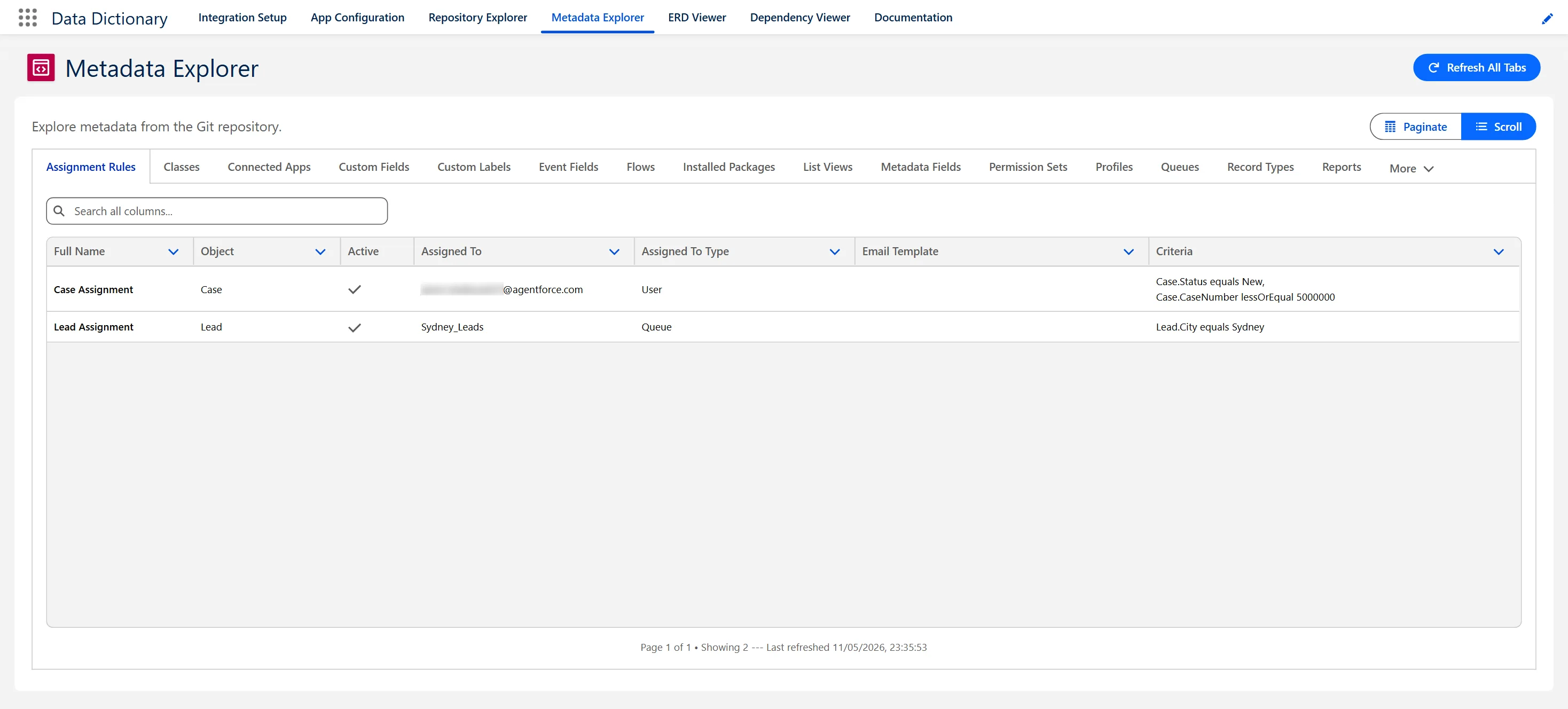
Browse the 17 metadata types it reads, from fields and flows to profiles and permission sets, with a tab for each type and a search across every column. Read each item's API name, label and key details without opening Setup or VSCode.
Draws entity-relationship diagrams (ERDs) from the saved metadata, showing how objects link through custom lookup and master-detail fields. Built on Cytoscape.js, with four layouts (hierarchical, breadth-first, circle and grid) and a side panel you can resize to inspect any object. Design reviews get a current diagram, so nobody has to hand-draw one that will be out of date by the next sprint.
Follow the links between fields, objects, Apex, flows, triggers, validation rules and permission sets, so you can see what uses what before you change anything. Zoom and drag around the graph, use the minimap to keep your place, and right-click a component for an impact analysis. Views like this usually need a separate diagramming tool. This one is built in Lightning Web Components.
Read the team's Markdown documents inside Salesforce, with highlighted code samples, search, and an outline that follows along as you scroll. They refresh from the repository, so nobody copies documents across by hand.
Read the connected repository's README, branches, commits and pull requests inside Salesforce, without switching to the Git provider's site.
Guided setup screens connect the repository, set the refresh schedule, and choose what gets read and shown. The settings live in Custom Metadata Types, so changing them needs no code. Errors are logged to Error_Log__c for troubleshooting.
Useful to Everyone on the Team
Everyone on the project uses the same information in their own way, from the first scoping conversation to support years later.
Look up an API name, check what depends on a field, and understand existing patterns before writing code, without leaving Salesforce.
Pull up relationship diagrams for design reviews, check how objects connect, and spot what can be reused before adding new objects.
See what already exists when mapping requirements, and avoid asking for fields the org already has.
Use the relationship and field reference to design test scenarios that cover the objects a change actually touches.
A current inventory of configuration to refer to, instead of clicking through Setup to remember how something was built.
Look up field context and relationships when triaging an issue, with fewer escalations to the dev team just to ask what a field does.
A clearer read on complexity for estimates, and faster onboarding for anyone joining the project.
Relationship diagrams make the design easy to follow for people who do not write code, and the knowledge stays in Salesforce when people move on.
Documentation That Rebuilds Itself
Data Dictionary builds its picture of the org from the repository, so nobody has to write it or keep it up to date by hand.
A traditional data dictionary is a document someone has to write and hand over. Data Dictionary produces the same information from the metadata already in your repository.
Where It Helps, From Build to Support
Custom objects, fields, automation and integrations
Functional testing, integration testing, UAT
Deployment, the first weeks after go-live, and ongoing support
Enhancements, scaling and new integrations